
Starshop – POS software for shops and bars
THE NEW STARSHOP
Your point of sale.
Everything under control.
The POS software for shops, bars and counter sales activities. From the first sale to the invoices, from the items to the warehouse: a single, clear and concrete environment.
- Touch sale
- Electronic invoicing
- On PC and NAS

01 / AT THE COUNTER
Sales, at the centre.
Not the complexity.
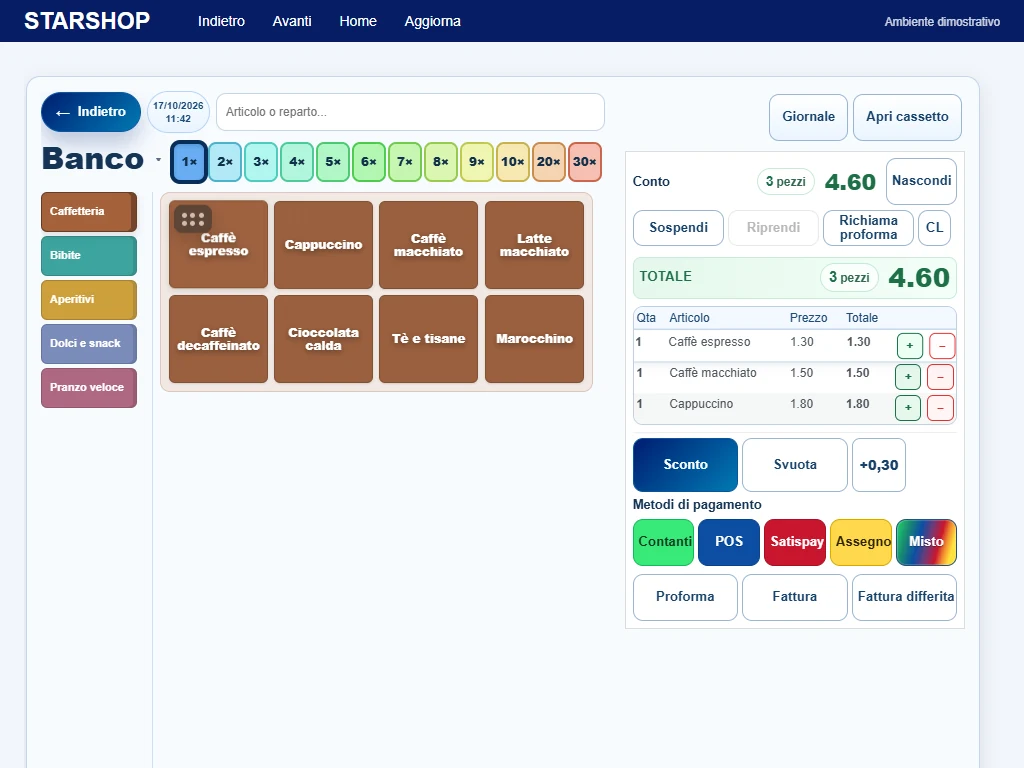
An interface designed for daily work: identify a product, compose the account and choose how to cash in, without changing the environment with each operation.
Find the item now
Colored groups and buttons, search from the first characters by item or department and barcode reading with compatible readers.
Dial the bill
Quantity multipliers, line modification, discounts and surcharges. Suspend an account and resume it when needed.
Choose payment
Cash, POS, Satispay, check and mixed payment. Starshop records the chosen method; electronic collection depends on the service or terminal used.
Prepare the document
Receipt via the configured fiscal channel, proforma or invoice. The proforma may require one or two copies, with separate printouts.
02 / YOUR ORGANIZATION
A tidy catalogue.
Easier management.
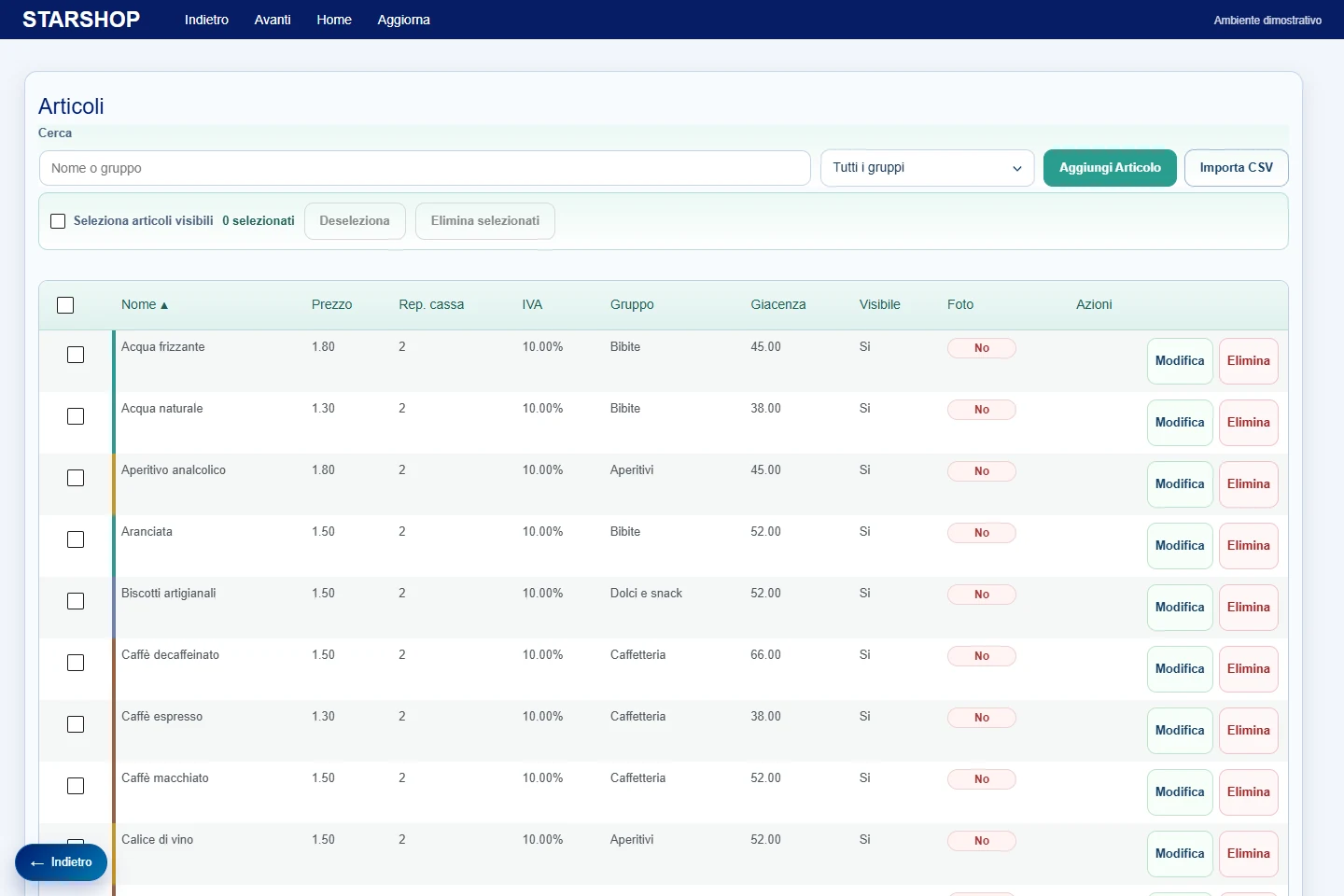
Items and groups are the basis of your point of sale. Manage them in the same program in which you sell, with prices, VAT rates, checkout departments, barcodes and visibility at the counter.
- Item and customer records
- Customizable groups and multiple operations
- Importing articles from CSV
- Stocks, loads, unloads and minimum stocks
- Suppliers and consultation of warehouse movements
03 / DOCUMENTS AND TAXATION
From sale
to the electronic invoice.
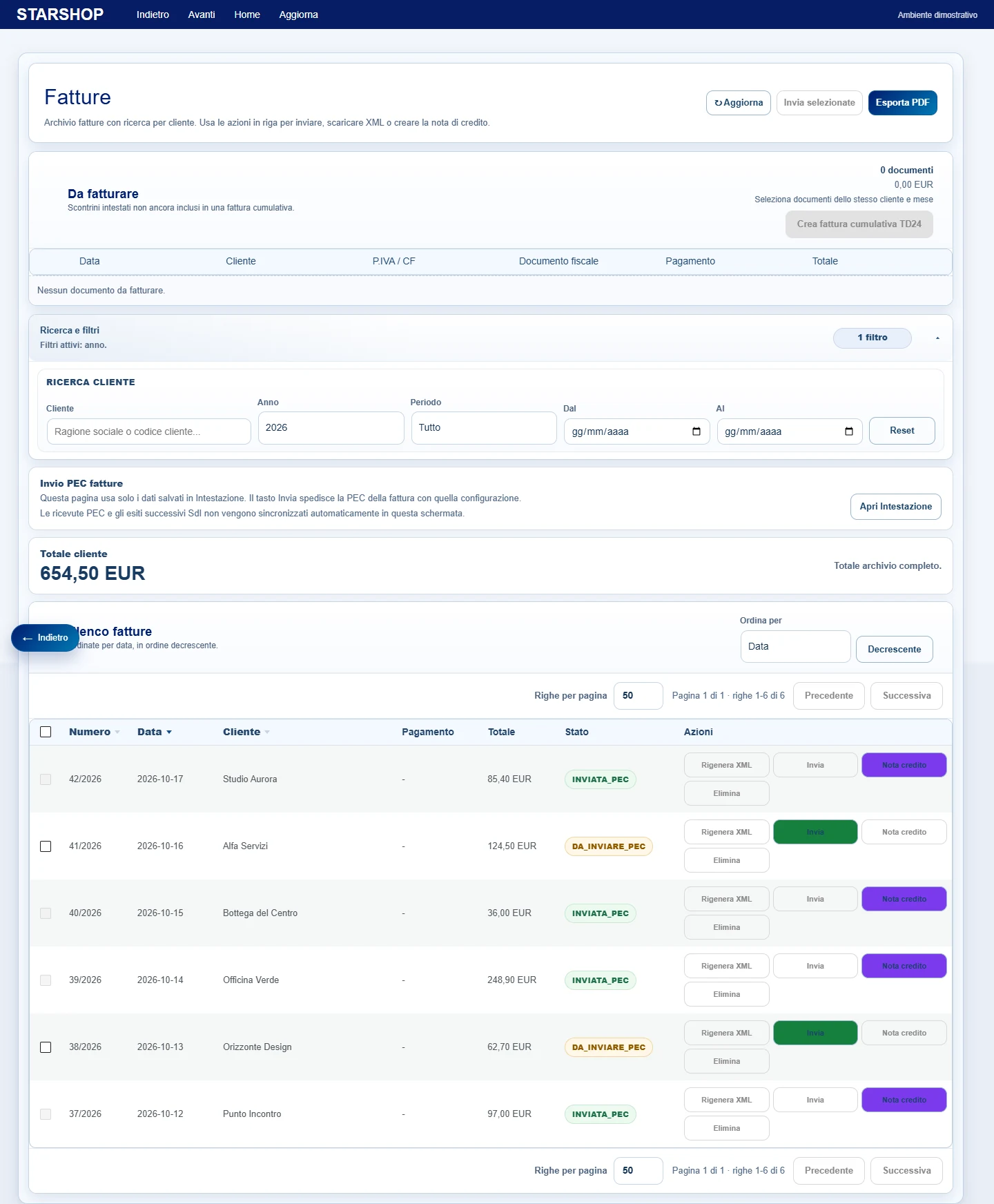
Create invoices with customer data, consult the archive, generate and download XML files. Manage the sending via your configured PEC and the documents to be invoiced cumulatively.
- Immediate and deferred invoices
- Search by year, period and customer
- XML download and PEC sending, also upon selection
- Credit notes linked to the originating invoice
Connection to supported RCH Print!F recorders and configurable Fiskaly integration. Let's check the model, credentials, requirements and necessary services together before activation.
04 / THE INFORMATION YOU NEED
Not just takings.
Find out what happened.
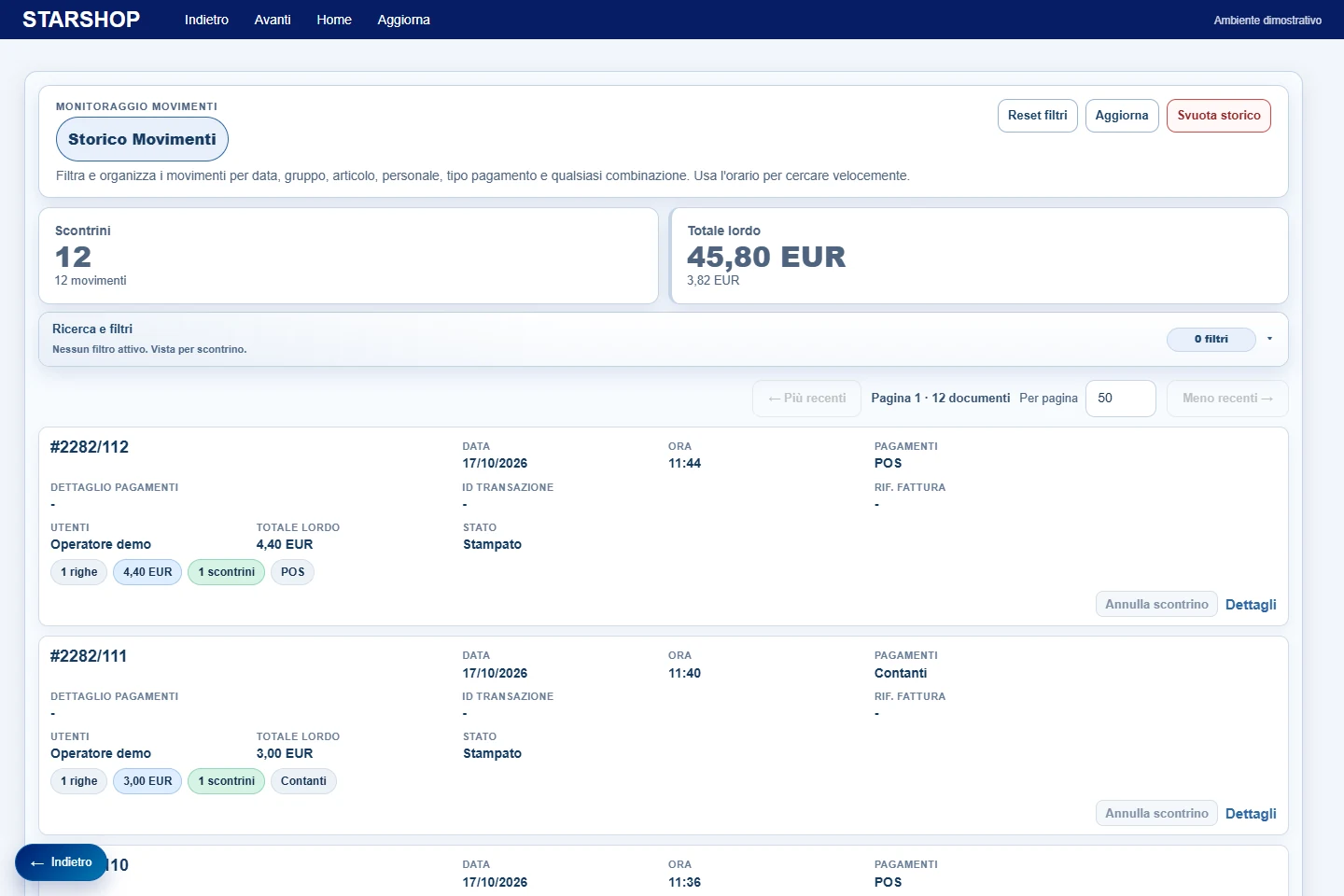
The historian collects the documents and recorded movements. Search the entire archive and combine period, time, item, group, operator, document type and payment.
Resettable filters, summaries and pagination help you read even large archives, without losing context.
INSIDE THE PROGRAM
Look at it closely.
Not product illustrations: These are screenshots of the Starshop interface, populated with demo data. Select a feature and zoom in on the image to explore it.
Counter sales
Items, quantity, account and payments.

The starting point
Access to Starshop features.
Article archive
Prices, VAT, departments, groups and stocks.

Groups and organization
Organizes the catalog and visibility at the counter.

Customer records
Billing references.

Warehouse
Stocks, loading, unloading and consultation.
Electronic invoices
Archive, filters, XML and sending via PEC.
Movement history
Search and analysis of recorded documents.

Rates and cash departments
The combination between VAT and recorder.

Checkout printers
Fiscal and non-fiscal configuration.

Company data
Document header and billing parameters.

Operational options
Bank preferences and access to archives.
The visible functions depend on the configuration, modules and services activated.
05 / THE RIGHT INSTALLATION FOR YOU
On PC. On NAS.
With Starcode by your side.
The program works with a local installation and can be used by authorized stations in the business network. Let's choose the architecture together, without improvising on the devices already present.
Your checkout station.
Desktop application with dedicated window, touch interface and connection to configured printers. Suitable for a Windows-based sales station.
Management in your network.
Installation on a NAS compatible with the intended environment and access from authorized stations. Hardware, resources and compatibility are checked before installation.
Configured. Followed up. Updated.
Complete backups and restore procedures, user management and the possibility of assistance and updates via the Starcode remote system.
Internet connection is required for license verification and for online services used, such as PEC and Fiskaly. Number of stations, modules, hardware and services included are defined in the quote.
BEFORE YOU LEAVE
The questions
more frequent.
Do you have a particular need?
Write to us: let's start from that.
What activities is Starshop designed for?
For shops, bars and counter sales businesses that want to bring together cash register, items, customers, warehouse and invoices in a single management software.
Can I use my cash register?
Supported fiscal link includes RCH Print!F. Before confirming the installation we check the model, firmware, connection and required functions. Not all recorders or printers are interchangeable.
Does Starshop manage electronic invoices?
Yes. It manages customer records, immediate and deferred invoices, XML files and sending via configured certified email. Credit notes are linked to the source document. Company data and progressives are configured at startup.
Can I import items and customers from the old program?
Importing articles from CSV is available. For existing archives, customers, historical and progressive invoices we evaluate a dedicated migration: the format and quality of the data must be verified before import.
Can I install it on multiple workstations or manage multiple companies?
The platform provides network access, users with roles and management of companies with separate archives. The number of companies and connections allowed depends on the configuration and the agreed license.
Is it a completely offline program?
No. The installation can be local on a PC or NAS, but the license requires periodic online verification. PEC, Fiskaly and other remote services require an Internet connection when used.
How much does it cost and how can I see it in operation?
We prepare a quote based on the stations, modules, printers, services and migration needed. Contact us for a program presentation and an evaluation of your business.
THE NEXT STEP IS SIMPLE
Let's start with yours
way of working.
Tell us what business you have, how many workstations you use and which printers you want to connect. We offer you a concrete configuration, with a presentation of the program and a dedicated quote.
Your new Starshop
start here.
we evaluate what you really need.