
StarTime — Attendance and clocking management software
ATTENDANCE, DOCUMENTS AND VEHICLES MANAGEMENT
StarTime.
Corporate time, finally clear.
The cloud software to manage clockings, shifts, holidays, permits, monthly reports, confidential documents and company vehicles. A single flow for administrators, employees and employment consultants.
- Kiosk clocking
- Excel payroll report
- Protected employee area
01 / FROM MARKING TO SUMMARY
A single flow.
Fewer manual controls.
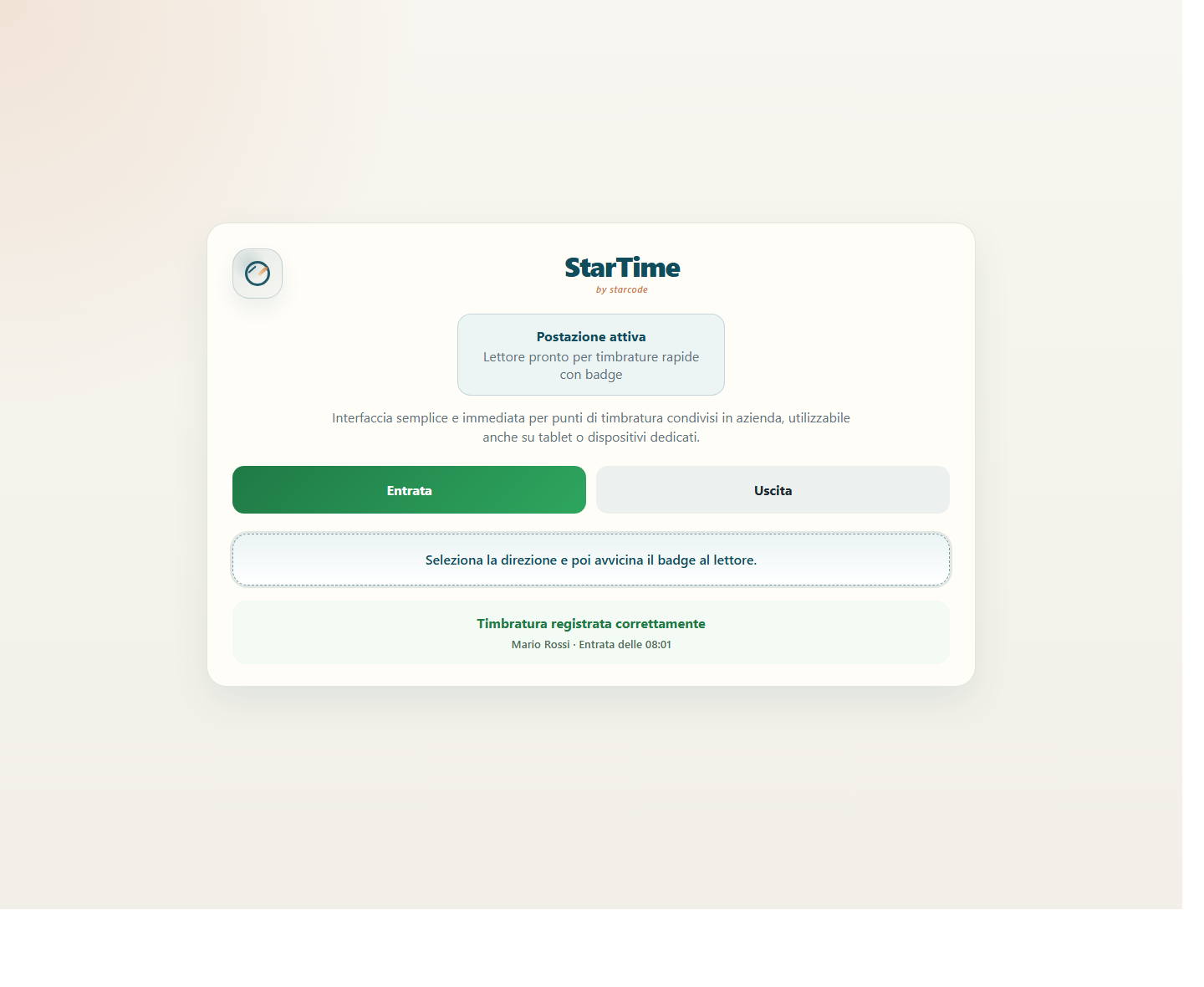
StarTime collects clock-ins and interprets them according to shifts and configurable rules. The administrator immediately sees what requires attention, without reconstructing the month between sheets, emails and messages.
Kiosk clocking
Entry and exit with badge or barcode from a dedicated station. The kiosk can also be installed on Newland NQuire 750 configured for StarTime.
Shifts and rules
Different times per day, breaks, tolerances, early exits, minimum leaves, overtime and reconciliations managed with company parameters.
Legible controls
Anomalies, incomplete stampings and corrections remain visible. Administrative changes are accompanied by notes and operational history.
More locations and companies
Users, roles, locations, local holidays and configurations remain separate. Each company works in its own private environment.
02 / HOLIDAYS, PERMITS AND ABSENCES
Requests sorted.
Shared calendar.
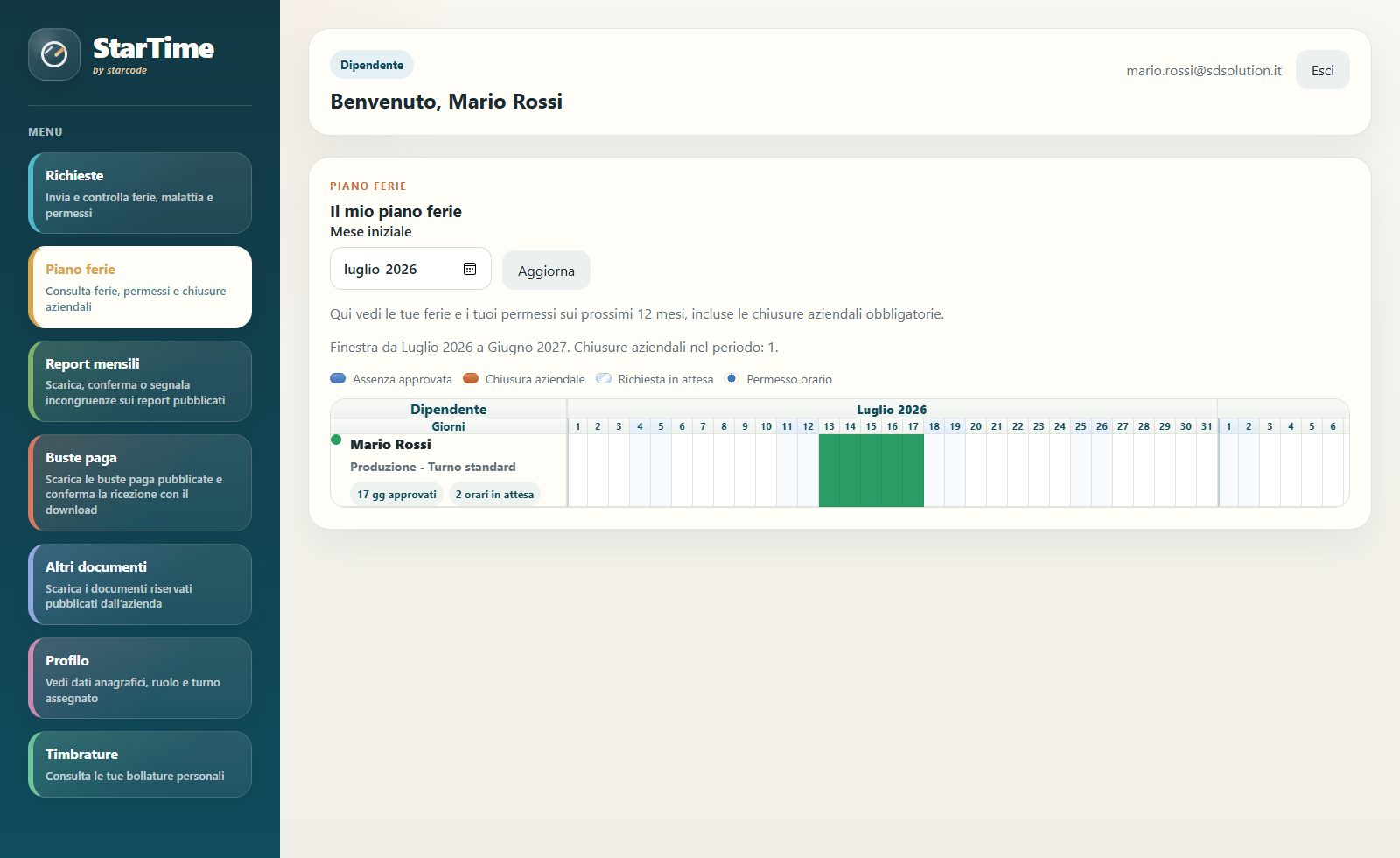
The employee sends the request from their area, attaches documents and follows the status. The administrator approves, rejects, notes or rectifies maintaining the history, even when a request is cancelled.
- Holidays and time off
- Illness, parental leave, study leave and accident
- Personal vacation plan and company coverage calendar
- Company closures, national holidays and local holidays
- Notes, attachments, corrections and automatic notifications
03 / REPORTS, PAYSLIP AND DOCUMENTS
Useful data.
Already in the right format.
The monthly report brings together hours worked and justified, absences by date, delays, authorized overtime, reimbursements and anomalies. The administrator checks, publishes and manages any employee reports.
- Detailed Excel file for each employee
- Summary dedicated to the employment consultant
- Revisions, response from the admin and confirmation of acknowledgment
- Confidential import and distribution of pay slips
- CU, communications and other documents in the personal area
Posts, authenticated downloads, notes, attachments and confirmations are tracked to help the company reconstruct what was sent and when.
04 / VEHICLE FLEET
Pooled or assigned vehicles.
Every use has a story.
StarTime connects people, vehicles and documents. The company knows who took a vehicle, when they returned it and what information was recorded during use.
Pickup and return from kiosk.
The authorized employee reads their badge and then the vehicle's barcode. Availability and condition of the vehicle are checked before registering use.
Kilometers and status over time.
For permanently assigned vehicles, mileage and photos of the dashboard are recorded, with periodic reminders for updates.
Immediately recognizable interventions.
Coupons, tyres, insurance, tax, invoices, notes and attachments create a confidential administrative history for each vehicle.
Who entered what.
Damage, photos and notes remain linked to the period of use. The contents of the employee and the administrator are clearly distinguished.
05 / ACCESS AND COMMUNICATIONS
The information arrives.
Only to the right people.
Each role sees the functions and documents for which it is responsible. Communications can use email and push notifications, while access can be protected with OTP verification.
Administrator
Configures the company, manages employees and shifts, checks clocking in, approves requests and prepares reports.
Employee
Consult clock-ins and calendars, send requests, receive documents, confirm reports and manage enabled vehicles.
Installable web app
StarTime can be added to the Home screen on Android and iPhone. You don't need to go to the store every time.
Configurable notifications
Email and push inform about new events chosen by the company, without sending the user the history prior to activation.
HOW TO START
Configured on your flow.
Not the other way around.
Let's start with shifts, clocking in methods, staff structure, documents and vehicles. Then we prepare the environment, users and stations with a guided tour.
Analysis
We collect rules, locations, roles and operational needs.
Configuration
We prepare the company, shifts, users, notifications and kiosks.
Startup
We activate access and support administrators and staff.
Support
We track usage and adapt settings as the flow evolves.
BEFORE YOU LEAVE
The questions
more frequent.
Do you have a particular need?
Write to us: let's start from that.
What is StarTime?
StarTime is a cloud software for company attendance management. It brings together clock-ins, shifts, holidays, leaves, monthly reports, pay slips, confidential documents and, if necessary, company vehicles.
How do employees clock in?
They can use a dedicated kiosk station with badge or barcode. StarTime can also be configured on Newland NQuire 750 terminals; device, reader and operating modes are checked during activation.
StarTime prepares the file for the employment consultant?
Yes. The administrator can generate an Excel summary with useful payroll information and detailed sheets per employee, including the dates of absences, tardies and authorized overtime.
Can employees see reports and documents?
Yes. Each employee has a protected personal area to consult clock-ins and requests, download published documents and confirm or report inconsistencies in reports.
Do you manage companies with multiple locations?
Yes. Locations, local holidays, shifts, users and rules can be configured per organization. The data of the different companies remains separate.
Do notifications come via email or phone?
StarTime supports configurable email and push notifications. The web app can be installed from the browser screen on compatible Android and iPhone.
Can I also manage company vehicles?
Yes. Pooled and assigned vehicles, collection and return, kilometres, photos, reports, documents and maintenance history are provided.
How much does StarTime cost?
The configuration depends on the number of employees and vehicles, kiosk locations and services required. We prepare a quote after a brief analysis of the business flow.
LET'S TALK ABOUT YOUR COMPANY
Want to see StarTime on your real stream?
Tell us how you manage attendance, requests, documents and company resources today. We show you a concrete configuration and prepare a quote consistent with what you really need.
Request an introduction