
CAB PX QS
CAB PX QS is a printing module for integration with ROXI and IXOR+ labeling heads. Loop material control allows you to coordinate printing and application in the automatic system. The compact structure allows different mounting positions and leaves the integrator the choice of the most suitable path for the machine.
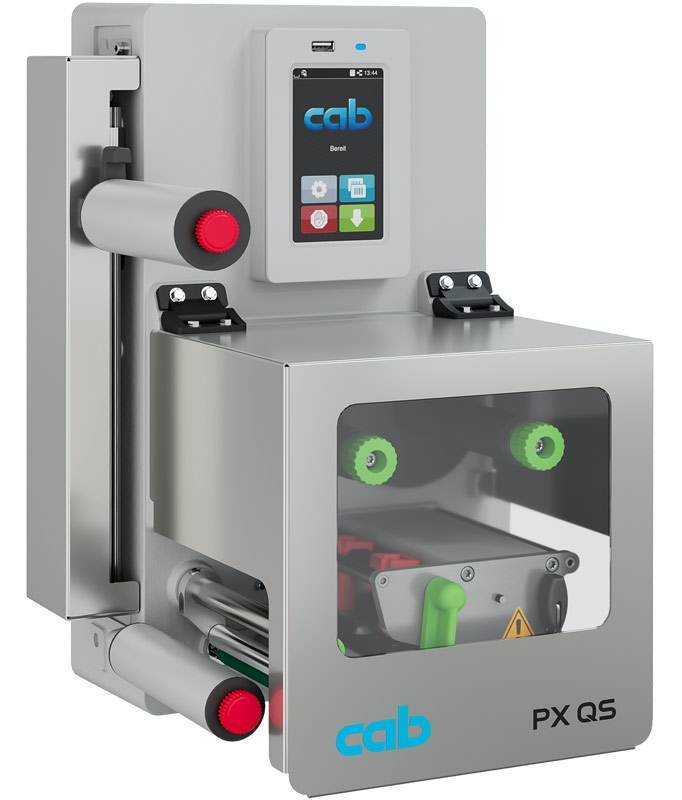
Main features
- OEM module for ROXI and IXOR+ systems.
- Control of material reserve via loop.
- Loop length programmable according to application.
- Mounting in different orientations.
- Management of labels up to 300 mm long in the foreseen configurations.
Applications and integration
PX QS can accompany the identification of products and packages on automatic lines.
Technical documentation
PX QS Catalog with ROXI / IXOR+ (PDF, English)
Find spare parts and exploded views of this machine ↓
Spare parts CAB PX QS
Printheads, rollers and spare parts CAB PX QS
Find printheads, rollers, sensors, belts, power supplies and mechanical printer components. Search for the code or name of the spare part, or open a group and compare the position number in the exploded view. Select the quantity and request a quote.
We do not have a public exploded view catalog for this model. You can request the components listed below or send us a photo to identify the correct spare part.
Always check version, resolution and serial number. The indications of the individual groups distinguish the components that change between different configurations. Spare parts are supplied on request, subject to verification.
Can't find the spare part or don't know the code?
Send us a photo or describe the defect. Indicate model, serial number and quantity: we will help you recognize the component and check compatibility and availability. We can also search for spare parts not listed and advise you on how to proceed to repair the machine.
Search spare parts and exploded views for other CAB models →