
Epson: Kiosk printers and integration
Epson kiosk printers add document output to self-service terminals. The printing assembly is mounted in the equipment structure, with connections to the host system and access to the roll for maintenance. EU-m30 offers a compact form factor and USB and serial interfaces for this type of integration.
Features and technologies
EU-m30 connects to the equipment via USB or serial. LED indicators show the status of the printer and the optional kit allows fixing to the kiosk structure. The compact format fits the printing function into locations with limited space.
- Useful dimensions inside the kiosk and installation orientation.
- Roll loading location and printer replacement.
- Link to control, monitoring and error handling.
- Power supply, fixing and accessories included or to be provided.
Models and configurations to compare
Epson EU-m30
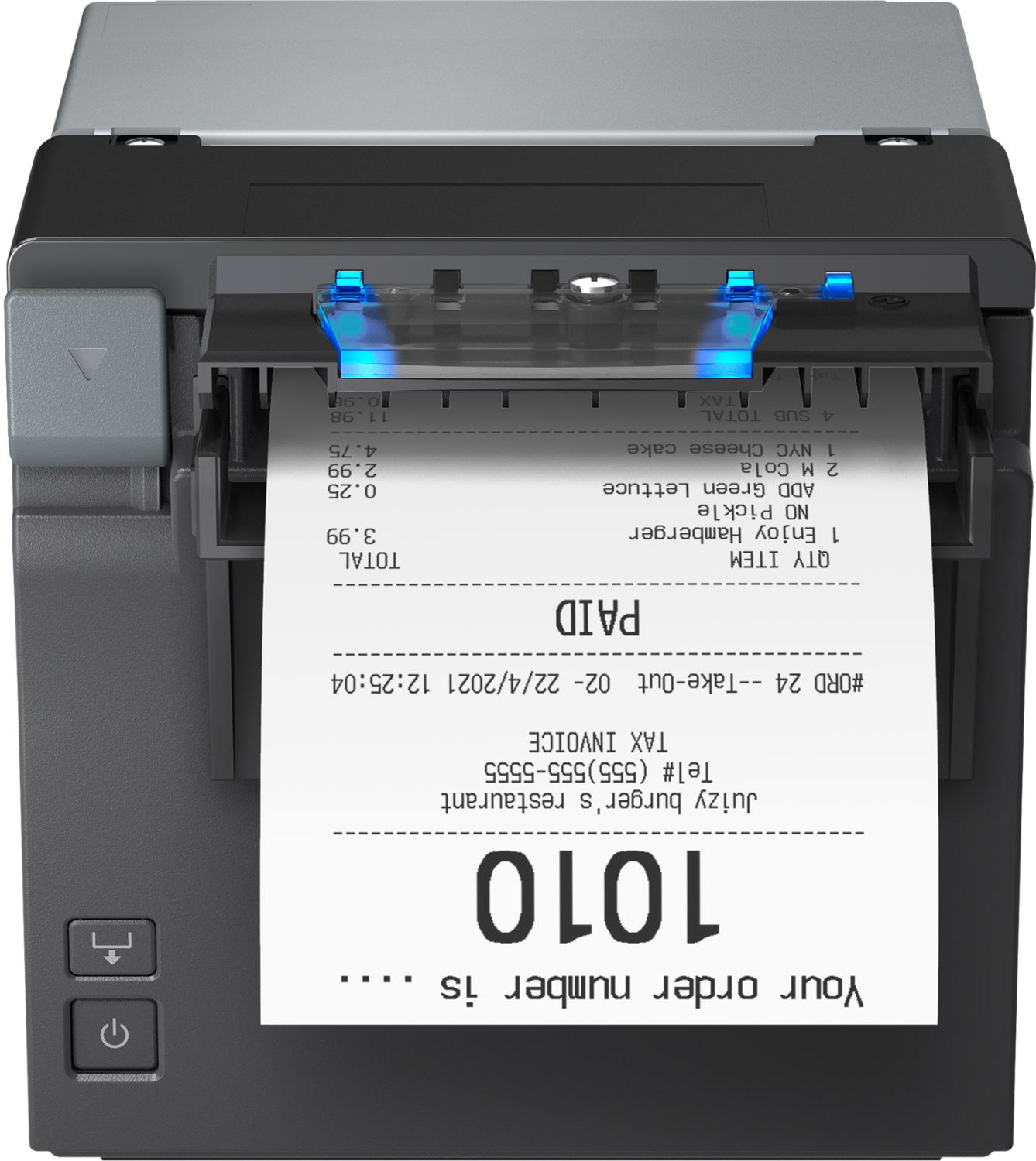
Epson EU-m30 is a compact printer designed for kiosks. USB and serial interfaces connect it to the host system, while LED indicators show the device status. The optional mounting kit allows fixing in the self-service structure.
Applications
EU-m30 is intended for issuing receipts and documents in self-service systems. The kiosk computer handles the print request and receives the device's operating states.
Documentation preview
Each available document is linked to the respective template. The preview shows the first PDF in the category.