
Honeywell CW45
Accessories for Honeywell CW45 (3)
Honeywell CW45 is a wearable Android computer that carries operational information on the worker's arm. The 4.7-inch display and dedicated accessories allow you to consult the instructions while handling goods and carrying out picking activities.
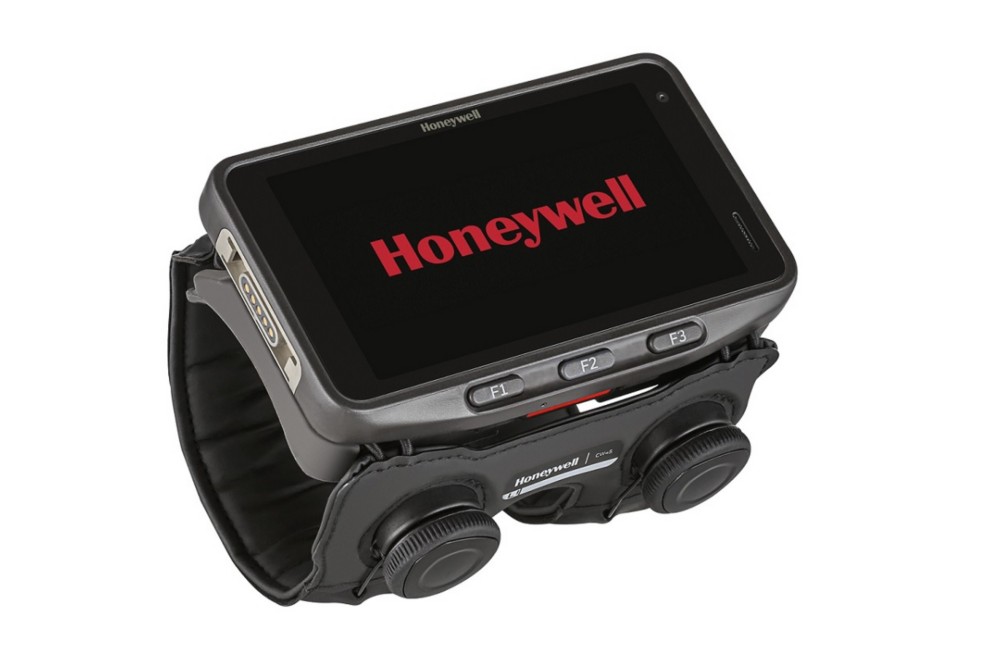
Main features
- 4.7 inch low profile HD display.
- Mobility Edge platform for professional applications.
- Accessories designed for wearable use.
- Pair with compatible scanners for hands-free workflows.
Models and configurations
Ergonomics must be evaluated on the work shift and on the operations actually carried out.
Applications and integration
It is suitable for picking, sorting, packaging and replenishment, when the operator must read directions without continually holding a traditional terminal.
Technical documentation
Accessories for Honeywell CW45
Honeywell / Brady accessories for CW45: accessories for charging, connections and hands-free work. Choose the code and quantity or ask us to complete the equipment of the device.
Accessory documentation
USB-C adapter for CW45
Code: CW45-SN-CNV
USB 2.0 adapter for 5V communication and charging with USB-C cable, sold separately. Does not support the variable voltage and current profiles of new USB-C chargers.
Compatibility: Honeywell CW45.
Extended 20-key keyboard
Code: CW45-KPD
Optional keyboard for manual data entry on CW45. It connects to the right I/O port of the terminal.
Compatibility: Honeywell CW45.
Data and power cable for 8675i
Code: CW45-8675-CBL
Cable to connect the 8675i reader to the CW45 wearable terminal, carrying data and power.
Compatibility: Honeywell CW45.
Do you need accessories for CW45?
Tell us the accessory code and quantity, or describe the station you want to create. We help you choose the right equipment; you can attach a photo of the device or accessory to be replaced in the request form.
To find the right accessory, tell us the complete model, device code and quantity. A photo of the device, base or accessory to be replaced helps us verify the pairing.